


How to Create an Account and Upgrade to a Store on GoCheapShop
Want to start selling on GoCheapShop? Learn how to create a free account and upgrade to a store in a few easy steps. This guide is perfect for individuals and businesses looking to post classified ads, reach more buyers, and grow their presence online.
Welcome to GoCheapShop — Pakistan’s fast-growing free classified ads platform where buying and selling become effortless. Whether you're an individual seller or a growing business, GoCheapShop offers the perfect place to connect with buyers across the country.
In this guide, we’ll walk you through how to create your account and, optionally, upgrade it to a full-featured store — unlocking powerful tools to grow your business online.
Step 1: Sign Up for a Free Account
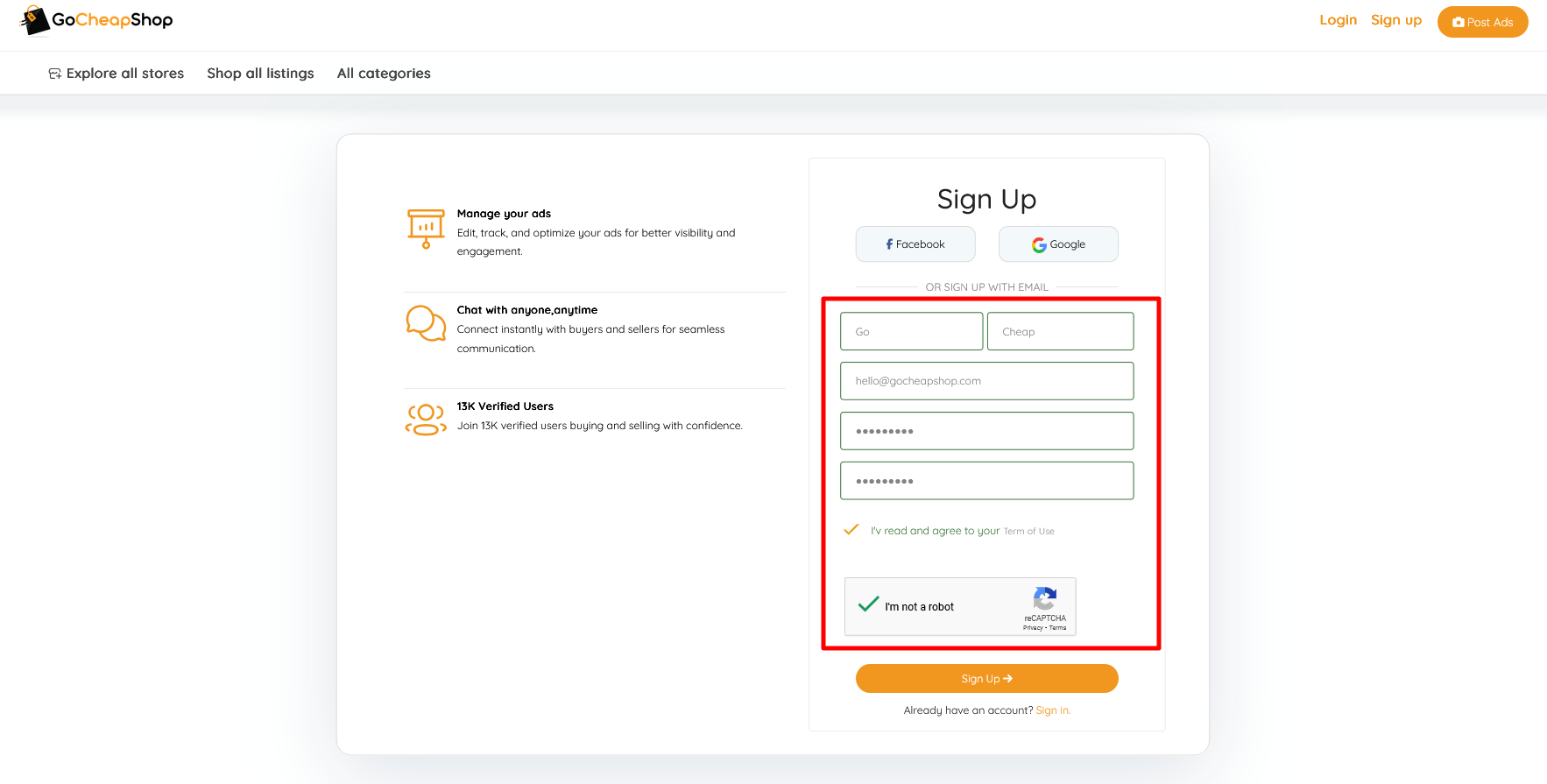
- Visit the Sign-Up page.
- Fill in your details:
- First Name
- Last Name
- Email Address
- Password
- Confirm Password
- Click the Sign Up button.
???? Why Join GoCheapShop?
By signing up, you join thousands of users already leveraging GoCheapShop to buy, sell, and promote their products across Pakistan — absolutely free.
Step 2: Verify Your Email
After signing up, you’ll receive an account verification email. Just open your inbox and click the verification link to confirm your email address.
This step ensures your account is secure and part of a trusted marketplace.
Step 3: Registration Confirmation
Once your email is verified, you'll receive a confirmation email. Now your account is successfully registered on GoCheapShop!
You’re now ready to post ads, manage listings, and connect with real buyers — all from your dashboard.
Step 4: Log In to Your Account
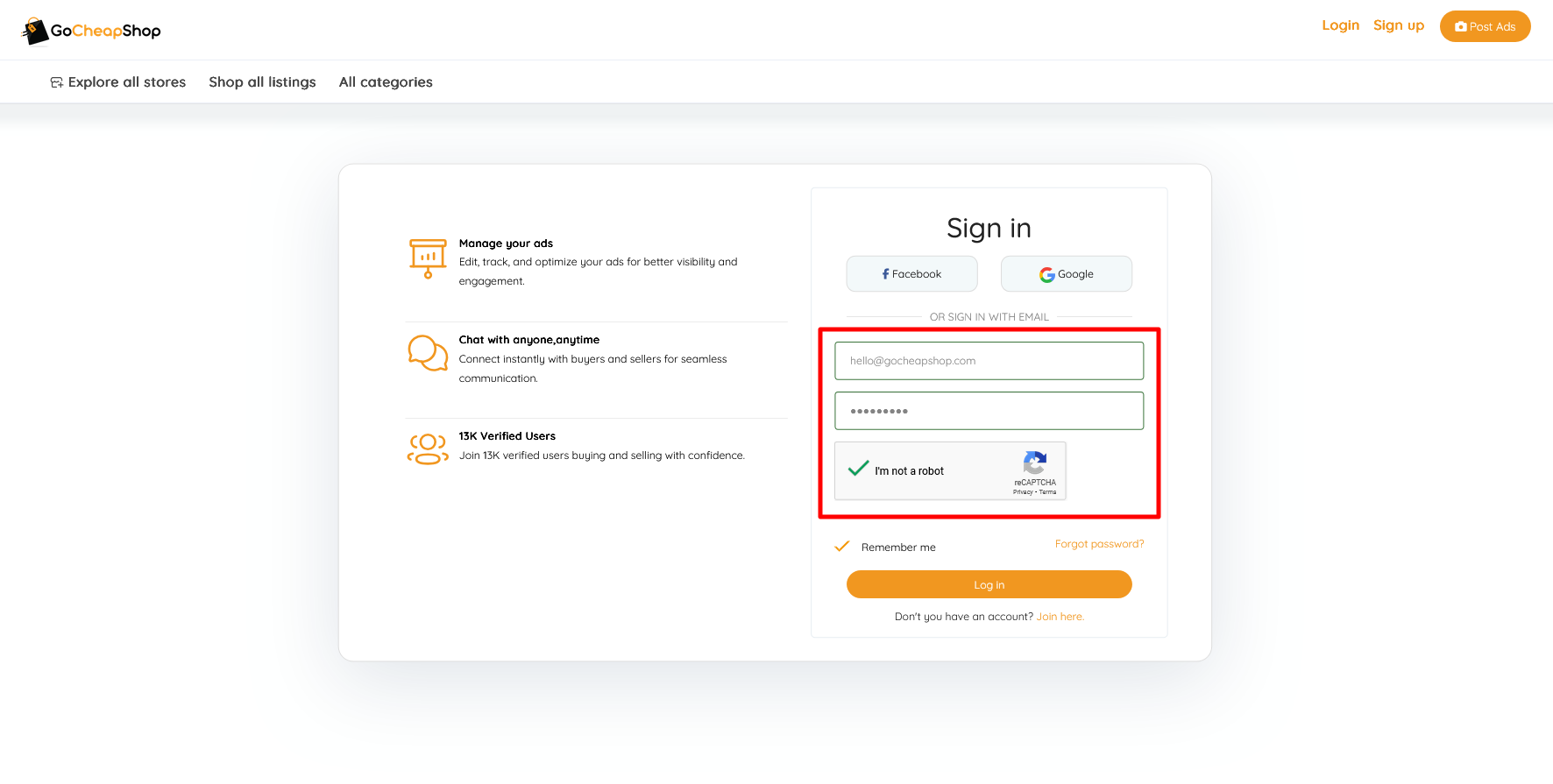
Visit the Login page, enter your email and password, and click Login.
(Optional) Upgrade Your Account to a Store
Want to give your products more visibility and build a brand presence?
Upgrade your account to a store and enjoy premium features tailored for business owners and pro sellers.
Step 5: Navigate to the Upgrade Page
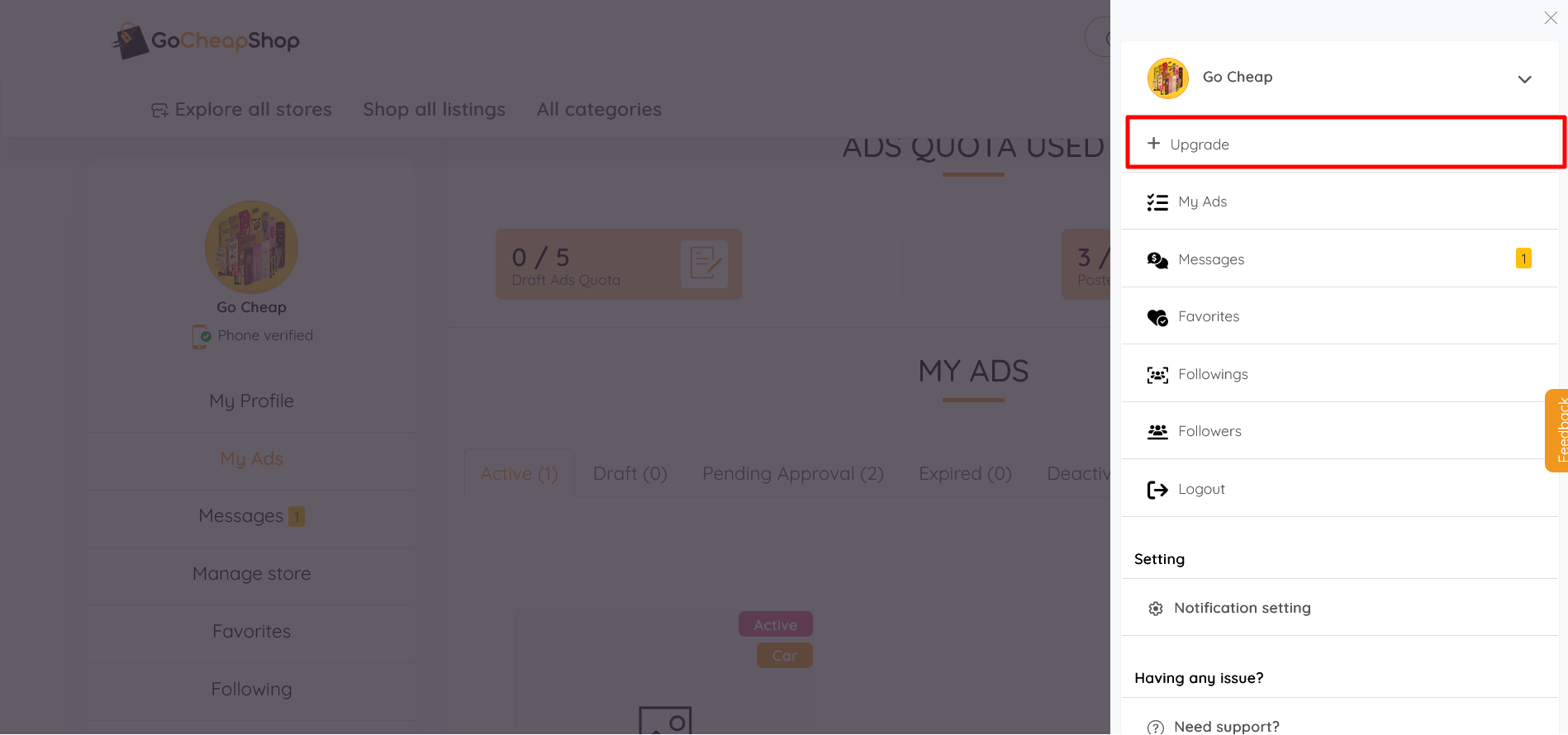
After logging in, go to your Dashboard and click on Upgrade to Store.
Step 6: Complete Store Details
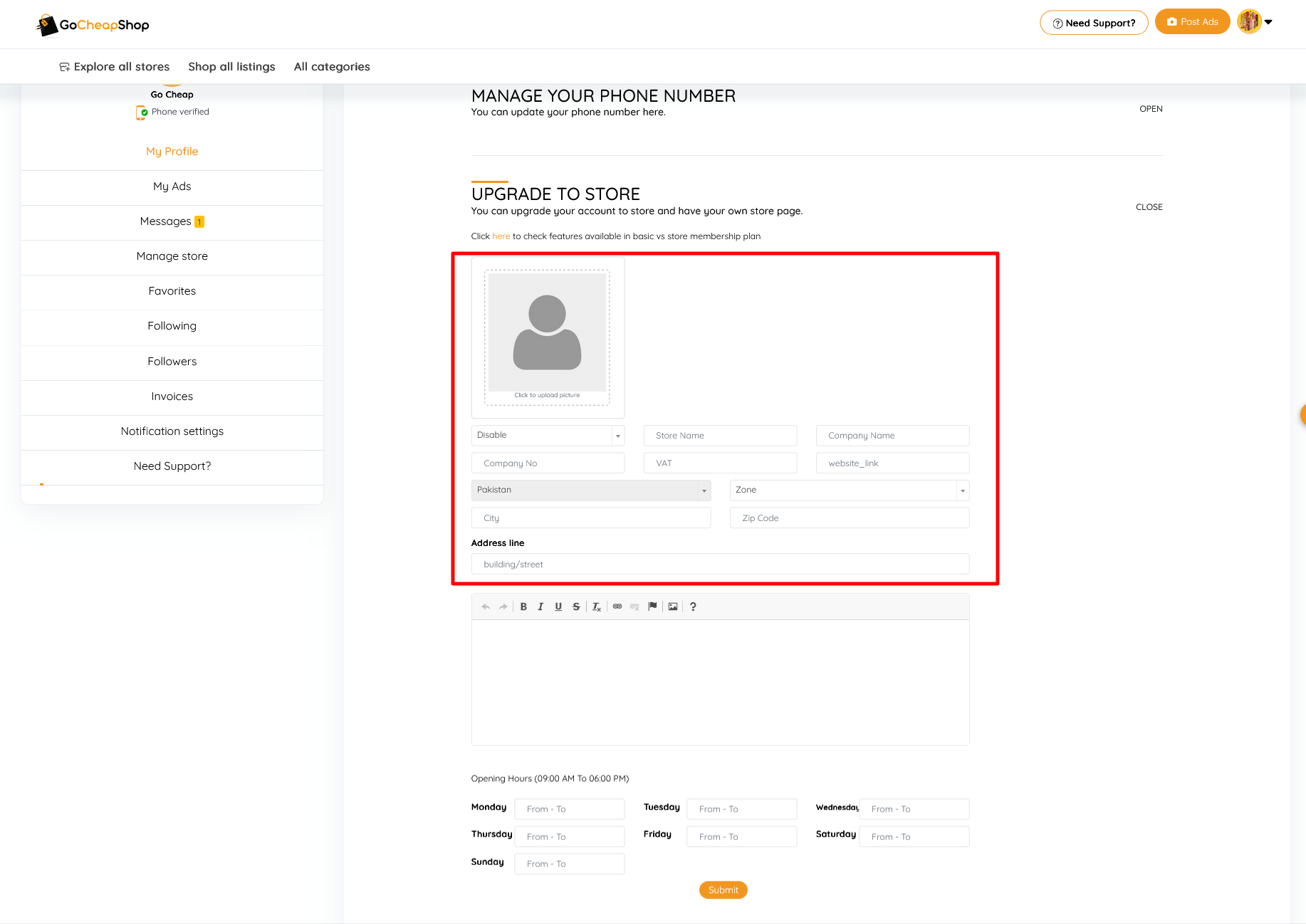
Fill out the form with the following required information:
- Company Name
- Store Name
- Company Phone Number
- Address
- Select Enable option
Once done, click Submit.
???? Benefits of Upgrading to a Store:
- Personalized store page
- Boosted brand visibility
- Earn buyer trust with a verified store
- More free ads slot to upload
- Follow feature for stores to gain followers for more recognition and trust
Step 7: Store Created Successfully
That’s it! Your store is now live on GoCheapShop. You can manage your listings, and build your presence online in minutes.
Why Choose GoCheapShop?
- 100% Free Ad Posting
- Reach Across All of Pakistan
- Simple & Powerful Dashboard
- Optional Store Upgrade
- Verified & Safe Community
GoCheapShop is more than a marketplace — it's your platform for growth.
???? Need Help?
If you have any questions or run into any issues, our support team is here to assist you. Contact us anytime Here!
 Hello!
 We Value Your Feedback/Suggestions!
Comments